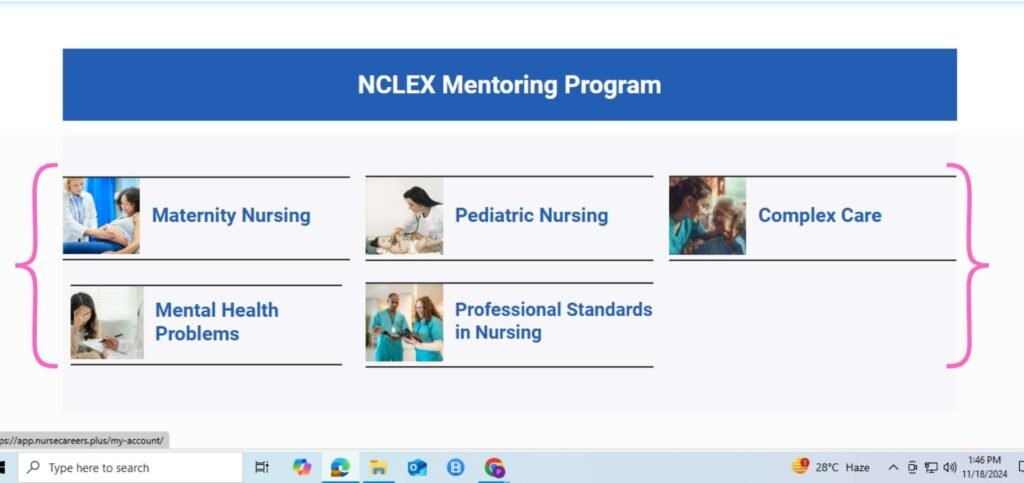
Welcome! We’re excited that you’ve enrolled in a course with us. Follow these simple steps to get started and make the most of your learning experience.
1. Logging In to Your Account
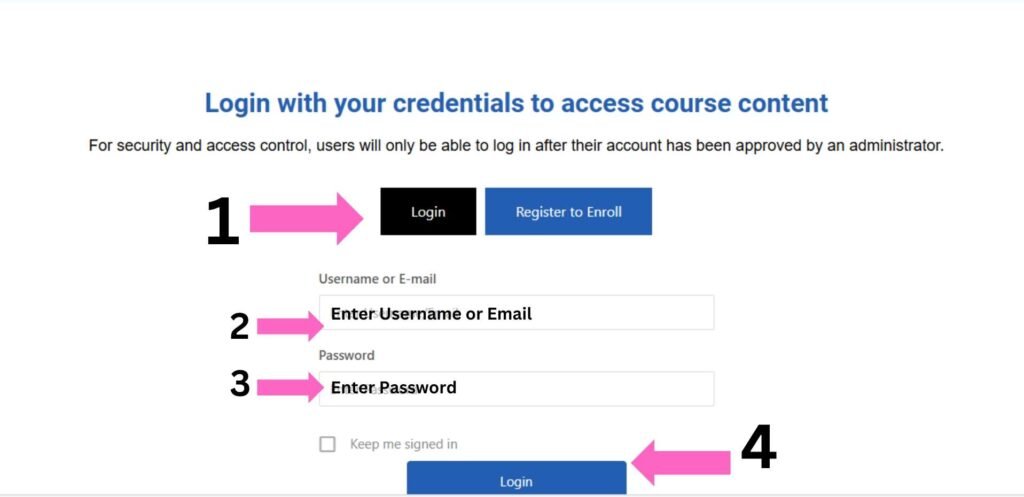
If you already have an account on our platform, follow these steps to log in:
Go to the Login Page
Visit the login page by clicking on the “Login” button located at the top right corner of the website.Enter Your Credentials
- Email Address: Enter the email address you used when you registered.
- Password: Type in your password. If you’ve forgotten your password, click the “Forgot Password” link to reset it.
Click ‘Login’
After entering your credentials, click the “Login” button to proceed.Access Your Course Content
Once logged in, you will be redirected to your dashboard, where you can access all your enrolled courses. Simply click on the course title to start learning!
2. Registering a New Account
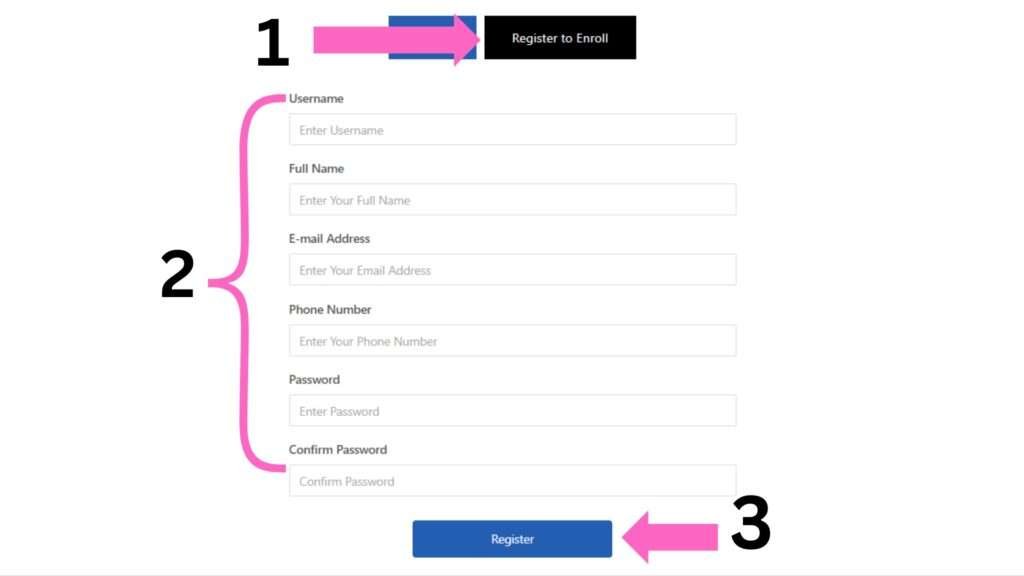
If you are a new user and need to create an account, follow these simple steps:
- Go to the Registration Tab
Click on the “Register” button, typically located beside the login tab, to begin the registration process. - Fill Out the Registration Form
Complete the form with the following details:- Username: Choose your usename.
- Full Name: Enter your full name.
- Email Address: A valid email address you want to associate with your account.
- Phone Number: Enter your phone number.
- Password: Choose a password
- Confirm Password: Enter your password to confirm
- Go to the Registration Tab
- Click ‘Register’
After filling out the registration form and agreeing to the terms, click the “Register” button.
3. Explore Courses
If you are a logged in and need to access the courses.
- After successfully logging in, the system will automatically redirect you to the Course Content page.
- The page will display the list of available courses, resources, and any other relevant content based on your account.